How To Find And Manage Your Trustpilot Reviews
Did you know that all the reviews you have written for various companies on Trustpilot can be found in one place? By logging in to your Trustpilot user account , you can find and easily keep a track of your reviews and edit them if need be. How To: Find My Reviews To find your reviews: 1. Go to...
Did you know that all the reviews you have written for various companies on Trustpilot can be found in one place? By logging in to your Trustpilot user account, you can find and easily keep a track of your reviews and edit them if need be.
How To: Find My Reviews
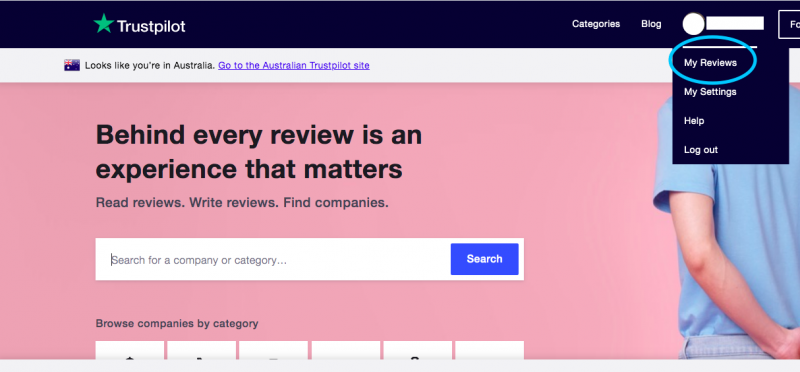
To find your reviews:1. Go to Trustpilot.com and click Log In at the top right-hand corner 2. Once logged in to your account, select My Reviews from the drop-down menu 3. Once on the My Reviews page, you will see a history of all the reviews you have written on Trustpilot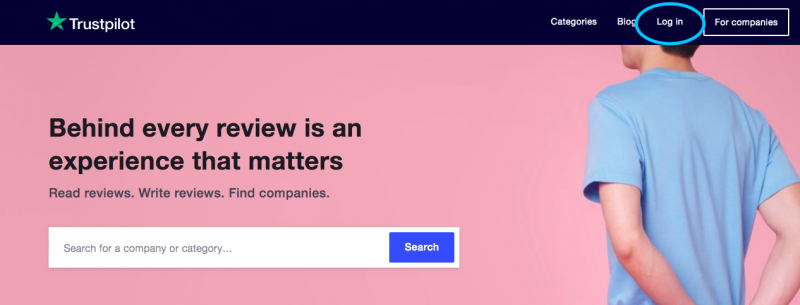
How To: Manage My Reviews
On the My Reviews page, you can edit or delete a review, respond to a business that has replied to one of your reviews, share a review or find statistics about how many other users have seen your review and found it useful.To Edit Your Review…
1. Follow the steps above to log in to your Trustpilot account and select My Reviews from the drop-down menu 2. Find the review that you want to change. Under the review text, click Edit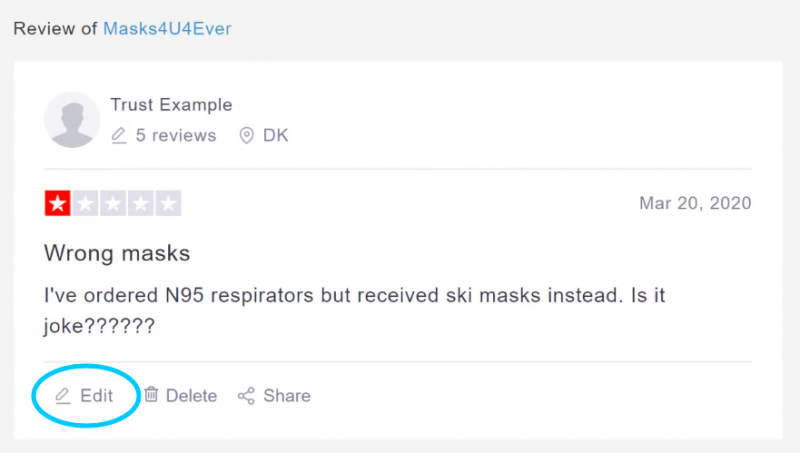
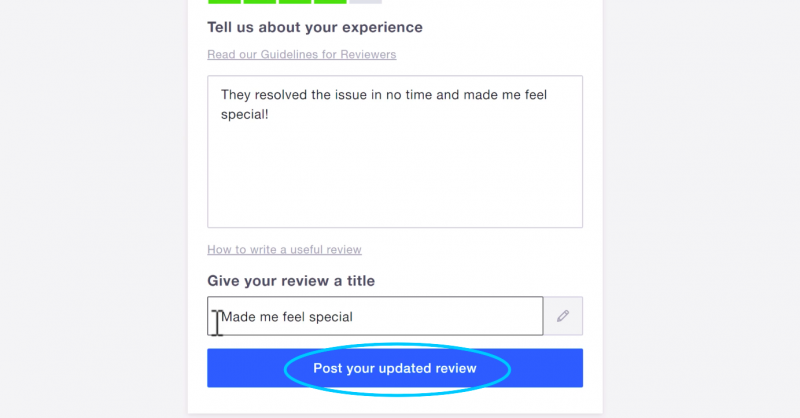
To Delete Your Review…
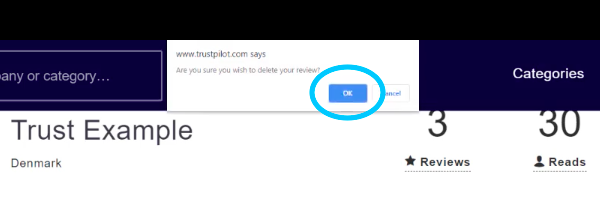
1. Follow the steps above to log in to your Trustpilot account and select My Reviews from the drop-down menu 2. Find the review that you want to delete. Under the review text, click Delete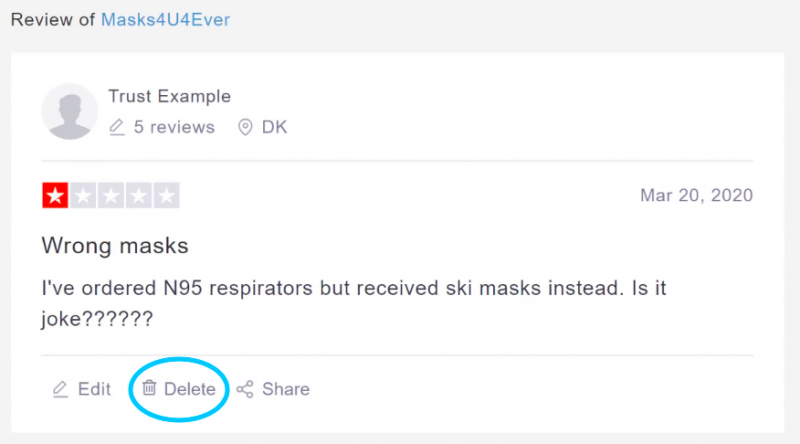

iBuildNew Editorial Team
As the specialist voice of Australia’s largest new home building resource, the iBuildNew Editorial Team delivers deep-dive coverage into the house and land sector. From analysing new estate launches to highlighting the country’s leading home designs, we track the building journey to provide clarity for every buyer.