New Website Features: Add notes & ratings

We know that searching for your new home to build can be a detailed process. You will do your initial research to understand what builders are out there, and what kind of home you can get for your budget. The next stage of the process is to compile a shortlist of your favourite house plans and designs.
Our latest round of website updates will help you with this stage of the process, by allowing you to easily save your favourite homes, rate them, and add any notes to the home designs. Here is how to use it!
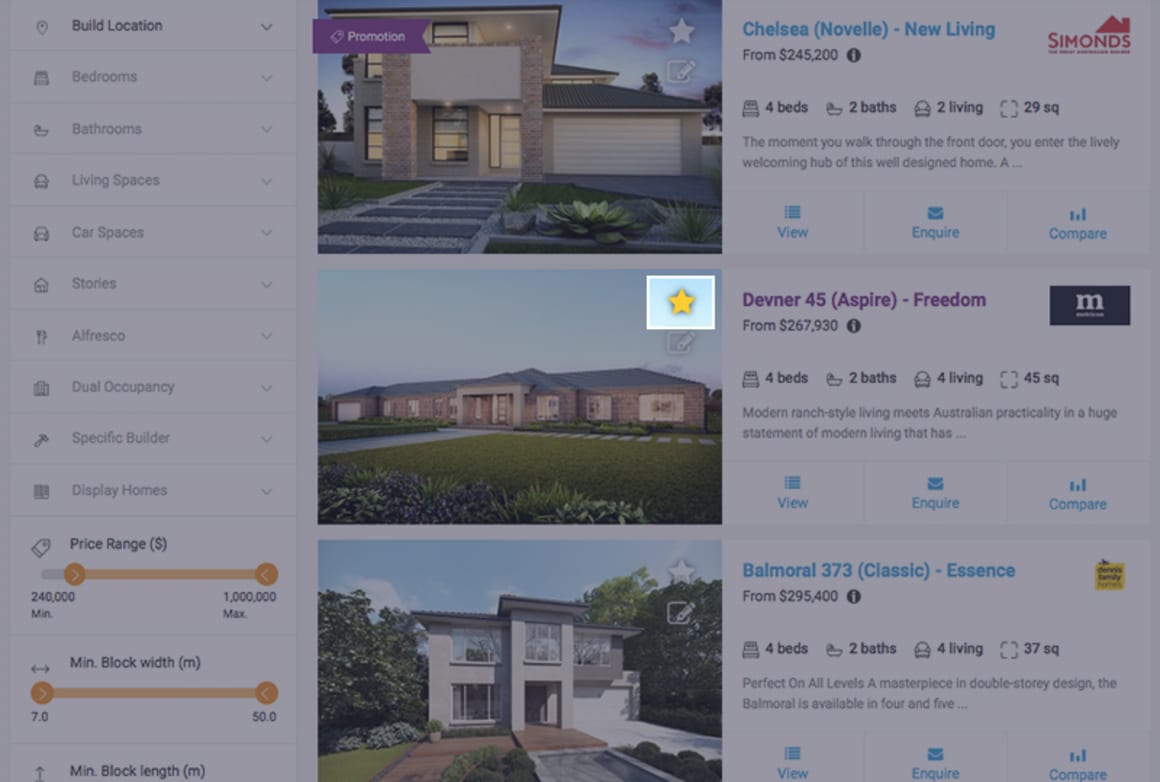 As you browse, start saving designs that grab your attention
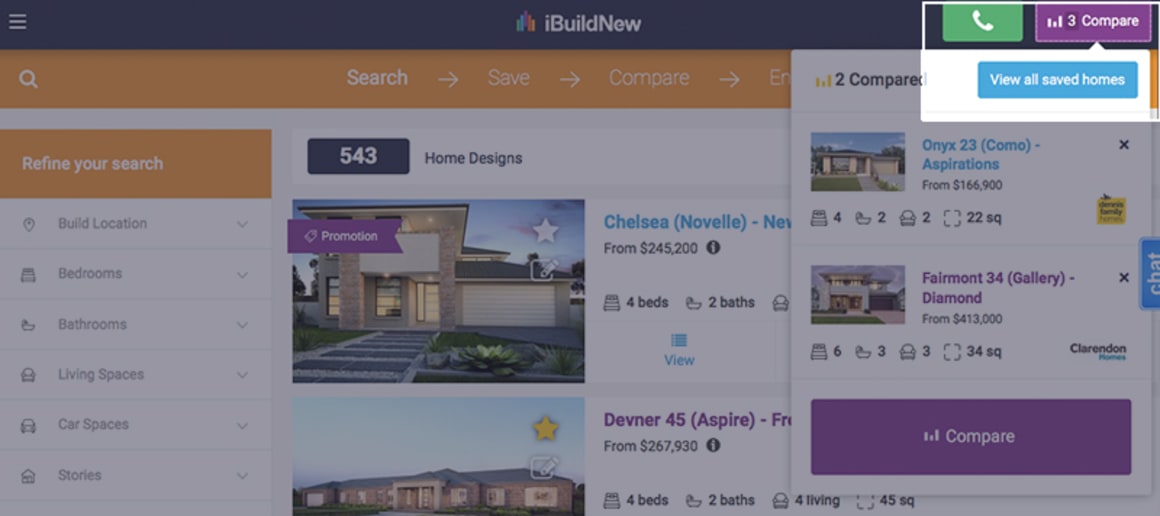 Log in to be able to save more than 3 homes.
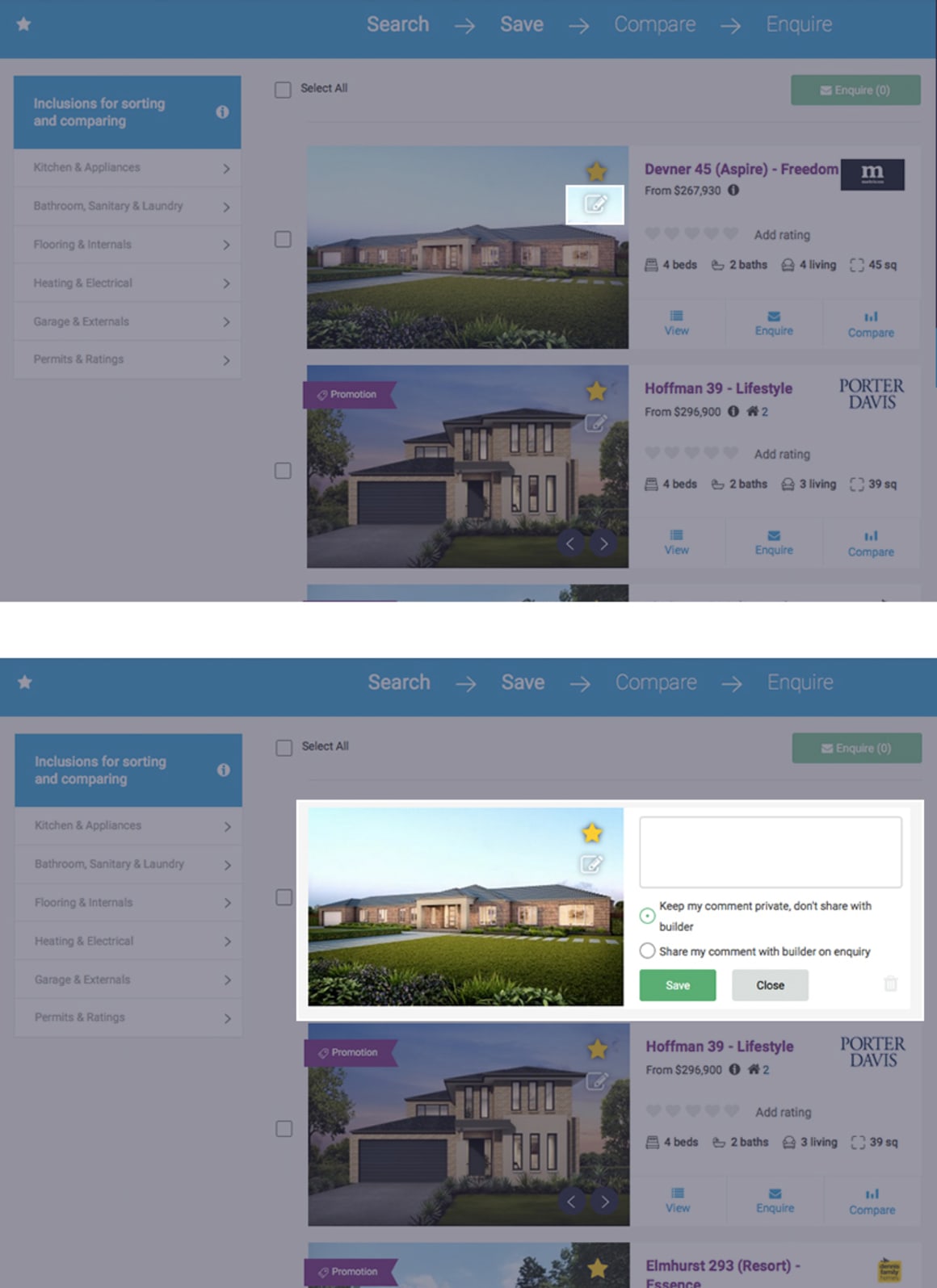 Jot down any thoughts you have when you're viewing the home designs so that you don't forget!
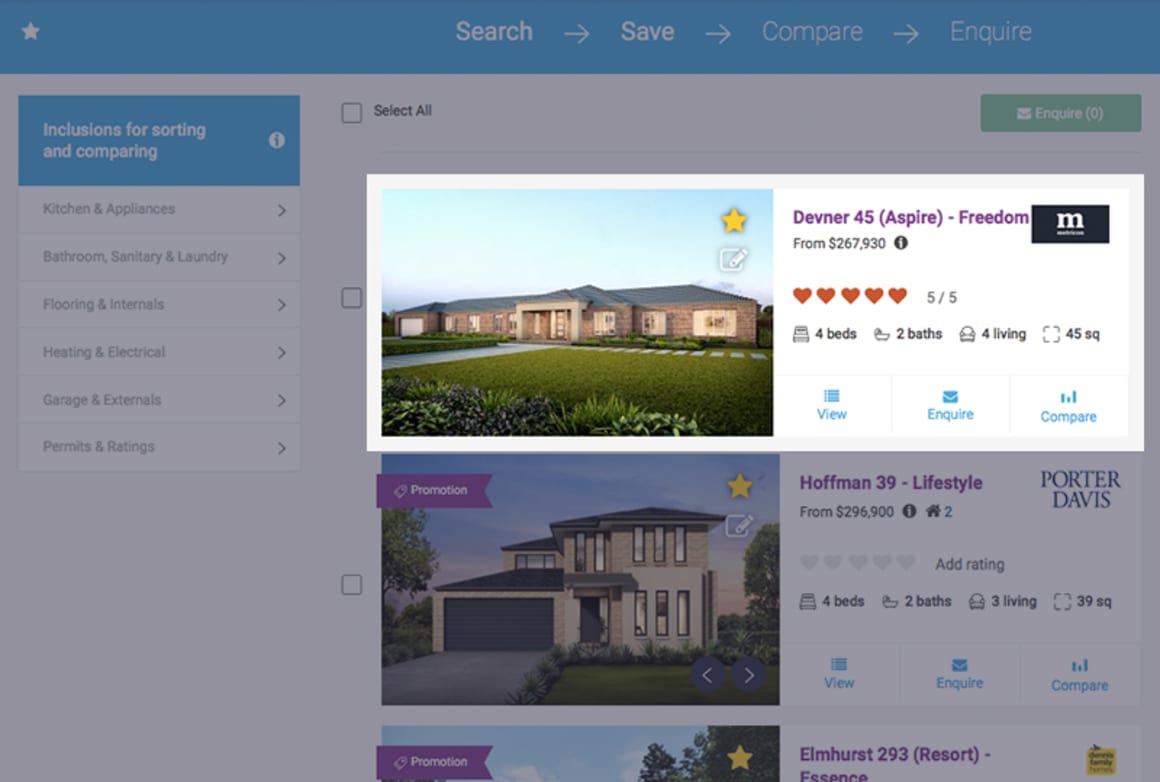 This is a private rating tool which only you can view when logged in (it is not published to the public)
Well done, now you have browsed all our house designs, saved your favourites, added notes and rated the designs in your shortlist. The next step is choosing the top homes and visiting the builders display homes.
This is a private rating tool which only you can view when logged in (it is not published to the public)
Well done, now you have browsed all our house designs, saved your favourites, added notes and rated the designs in your shortlist. The next step is choosing the top homes and visiting the builders display homes.
1. Save your favourite house designs
Click on the star icon to save your favourites.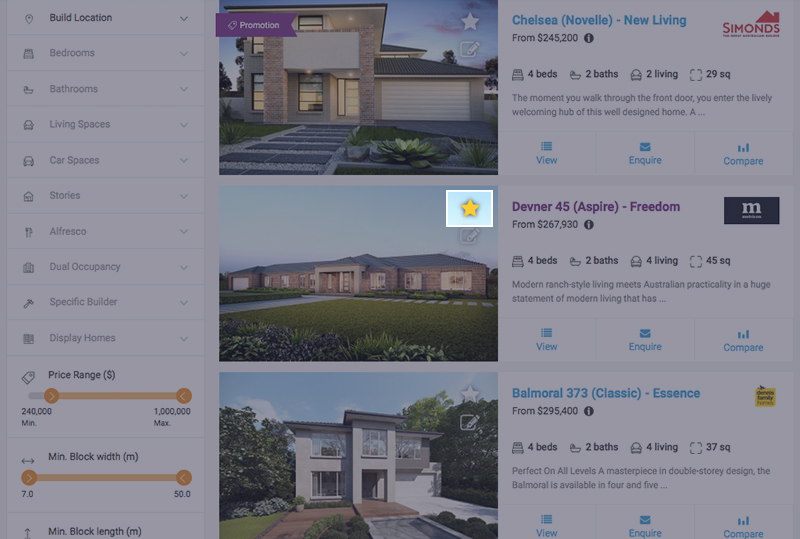 As you browse, start saving designs that grab your attention
2. View your saved homes
Click the purple 'Compare' button, then 'View all saved homes'.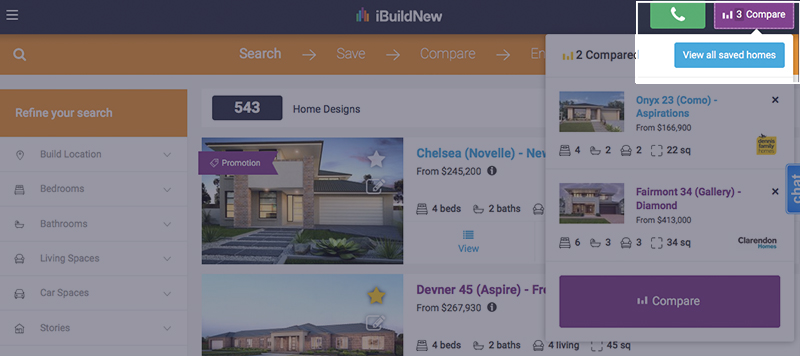 Log in to be able to save more than 3 homes.
3. Add notes or comments to any house design
Click on the pencil icon (on the house photo), to add in a note.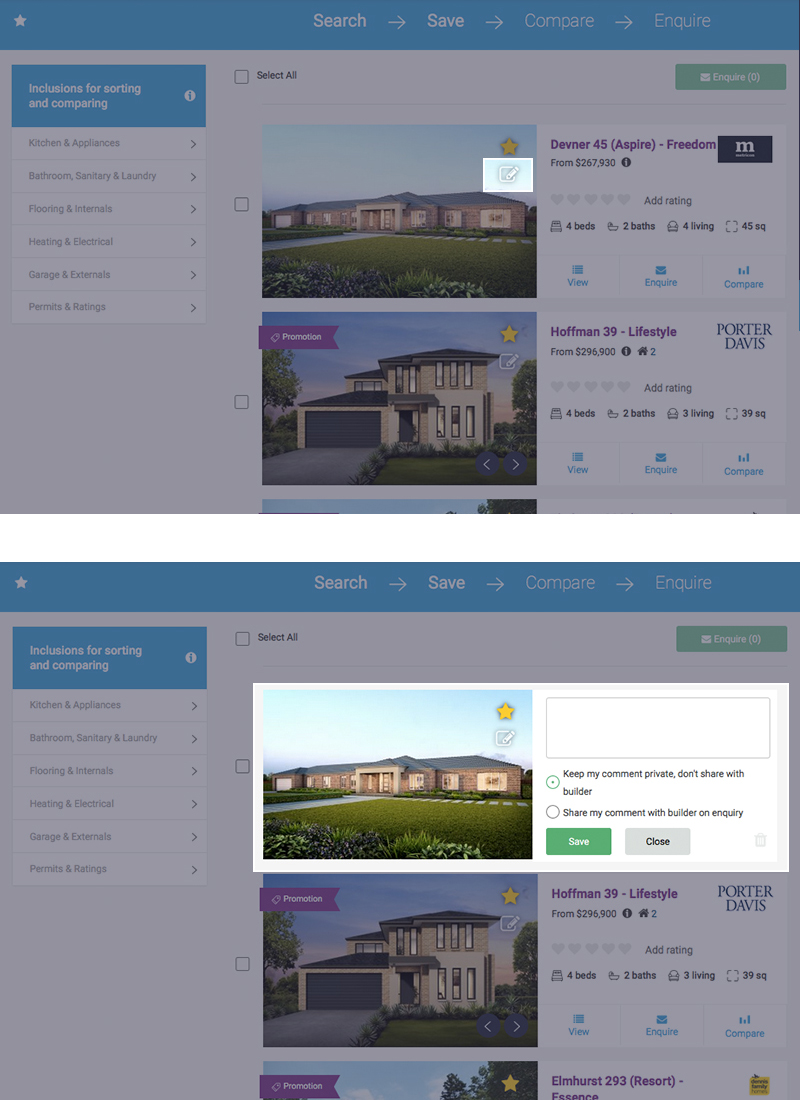 Jot down any thoughts you have when you're viewing the home designs so that you don't forget!
4. Rate the house designs to help you decide on which design best suits your needs
Use the heart icons to rate each house design. Use our 'Choosing your new home design' checklist to help you rate each design.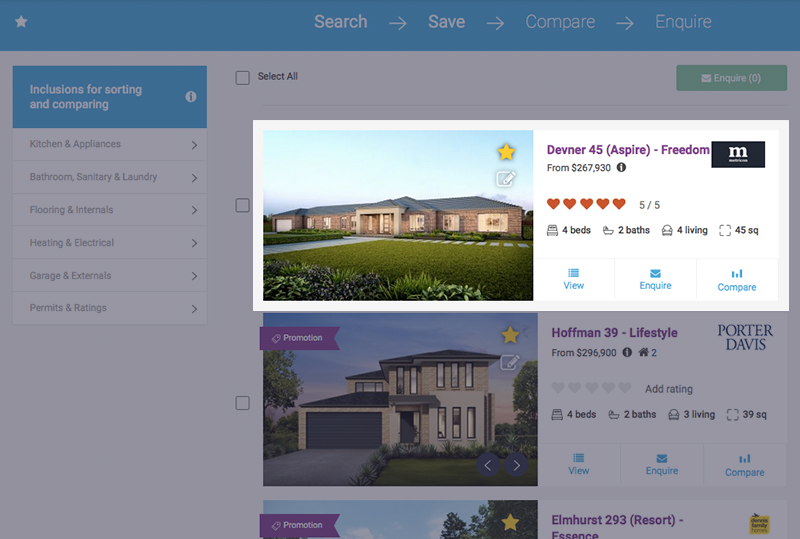 This is a private rating tool which only you can view when logged in (it is not published to the public)
Well done, now you have browsed all our house designs, saved your favourites, added notes and rated the designs in your shortlist. The next step is choosing the top homes and visiting the builders display homes.
This is a private rating tool which only you can view when logged in (it is not published to the public)
Well done, now you have browsed all our house designs, saved your favourites, added notes and rated the designs in your shortlist. The next step is choosing the top homes and visiting the builders display homes.
Related Articles:
How to guide: Choosing your new home design
Website feature: Display home finder

Joel Robinson
Joel Robinson is the Editor in Chief at iBuildNew, where he leads the editorial team and oversees the country's most comprehensive news coverage dedicated to the new home building industry. With more than a decade of experience in residential real estate journalism, Joel brings deep insight into Australia's evolving home building and construction landscape.