New website feature: Display home finder
Once you've narrowed down your favourite home designs to 2-4, it's time to hit the road. You want to plan to visit 2-4 display homes so that you can get a feel for the fittings, fixtures, build quality and layouts.


Step 1: Visit www.iBuildNew.com.au > Our Network > Display Villages
Step 2: Narrow down your options by the filters
Step 3: Select the display village you want to visit
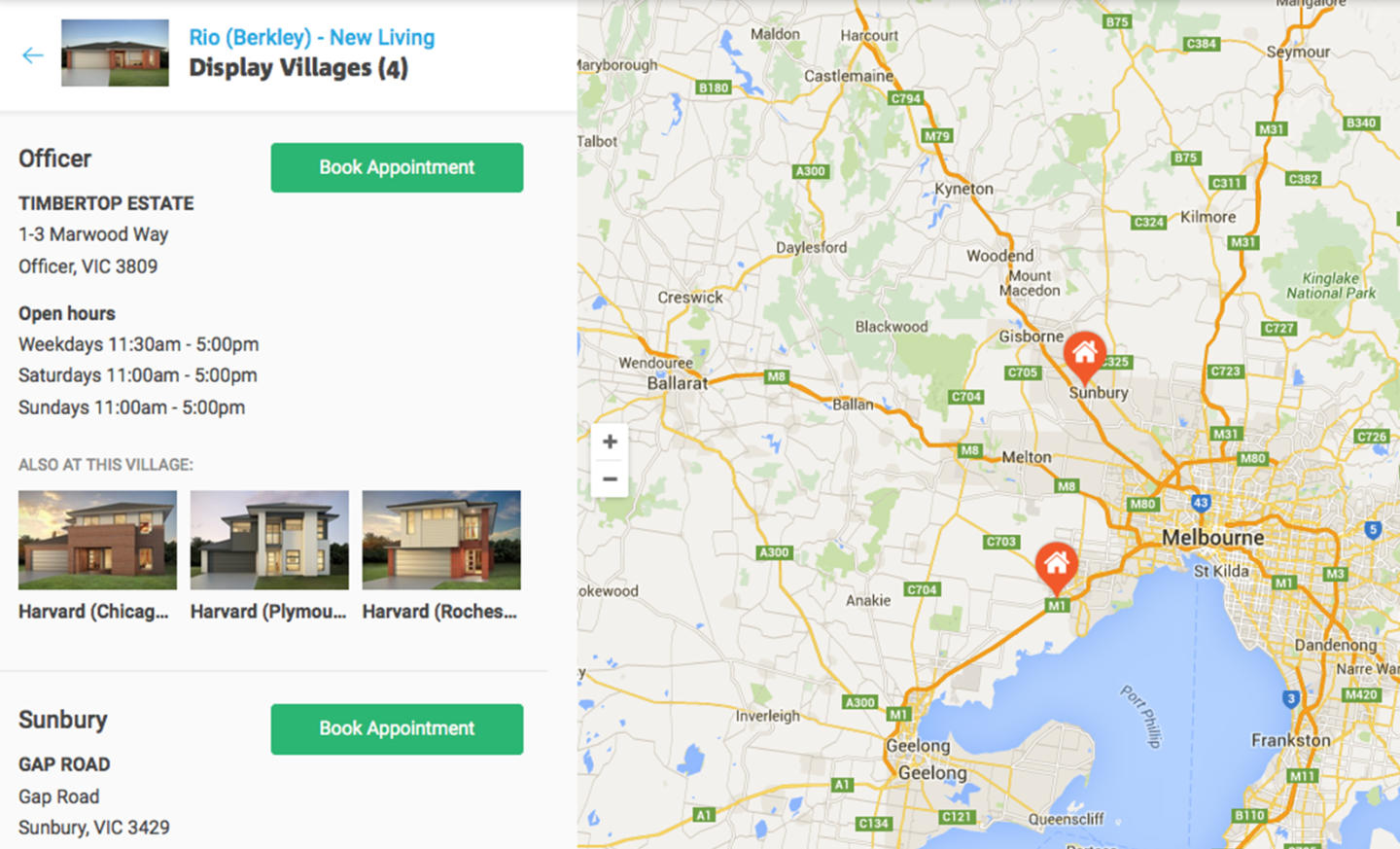
Display village details & map view:
You can interact with the map on the left, and the individual locations are listed on the right. Click this box to view the address, open hours, a list of other homes at this village, and a handy link to book a priority appointment with a new homes consultant.Step 4: You can find out all the information here, including other homes in the same village. Don't forget to book an appointment to jump the queue.
Start searching for display villages here and enjoy your trip!
Related Articles:
The Best Time to Build a New Home
House and Land Package Pros and Cons
Display Home Villages – Our Tips for Planning Your Visits

Joel Robinson
Joel Robinson is the Editor in Chief at iBuildNew, where he leads the editorial team and oversees the country's most comprehensive news coverage dedicated to the new home building industry. With more than a decade of experience in residential real estate journalism, Joel brings deep insight into Australia's evolving home building and construction landscape.